Features

From “my car won’t start” to a booked job.

A booking page, an inbox for requests, quotes customers approve on their phone, and the texts that get you in the driveway. All from the phone in your pocket.

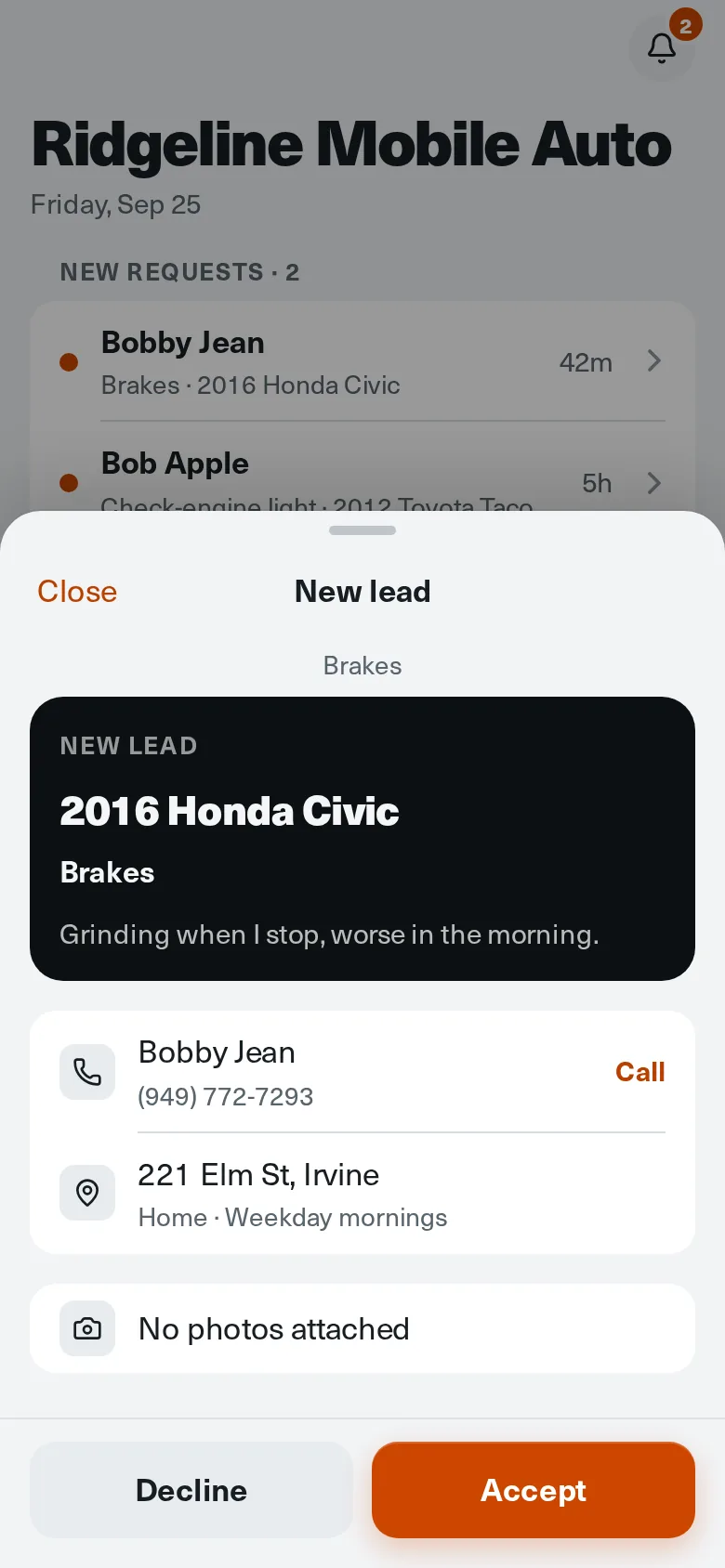
A new brake request with vehicle, symptoms, address, and Accept button
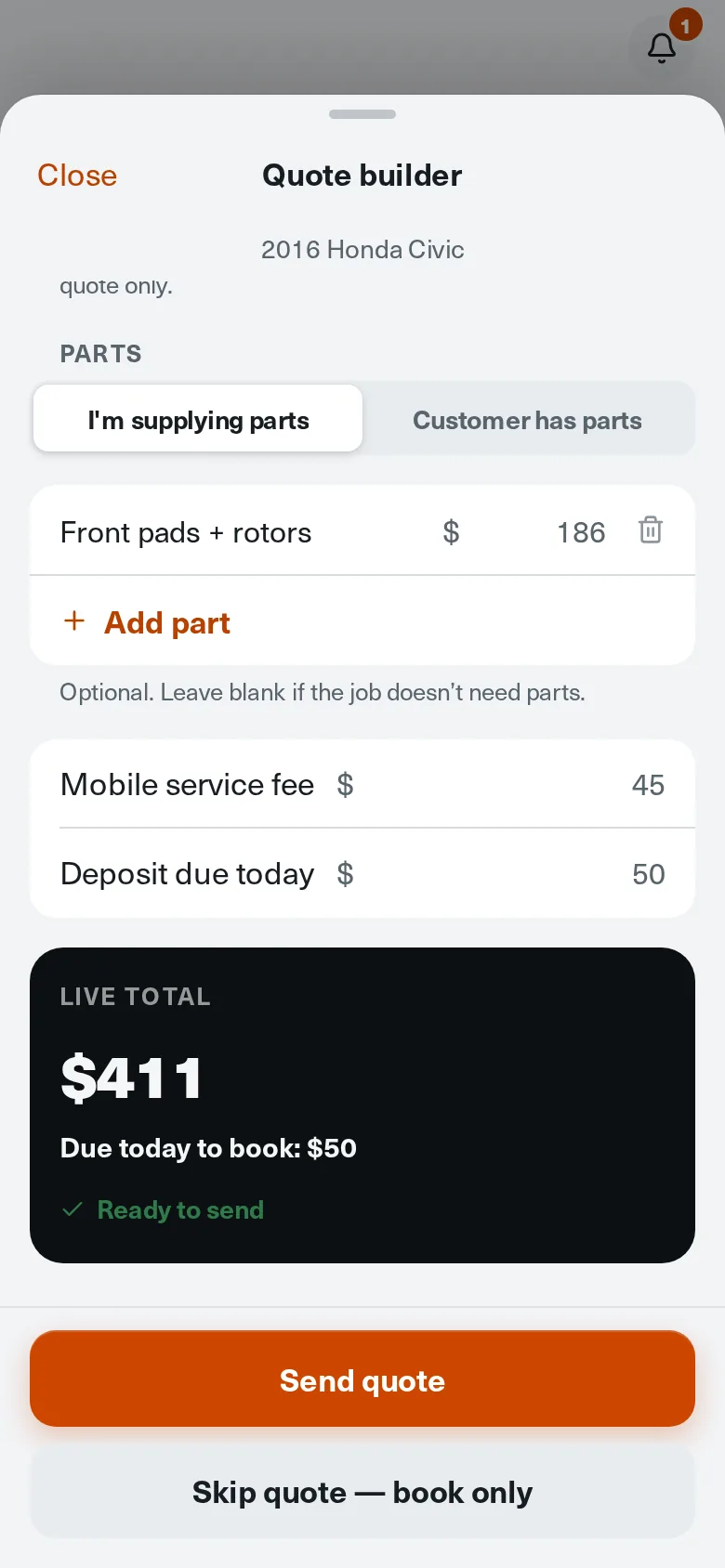
Quote builder showing a $411 total with a $50 deposit due today

Real app screens. Example business and customers.

Booking page

A booking page that works like a front desk.

Customers see your logo, your rig, the work you do, and whether you're open today. Then they tell you what the car is doing, step by step, without making an account.

  • Logo, cover photo, gallery, and the services you offer
  • Year, make, and model, or paste a VIN to fill it in
  • Symptoms, photos, and where the car is parked
  • Share one link anywhere: Google, Instagram, a text, your truck

Free and ProYour link is ready at the end of setup.
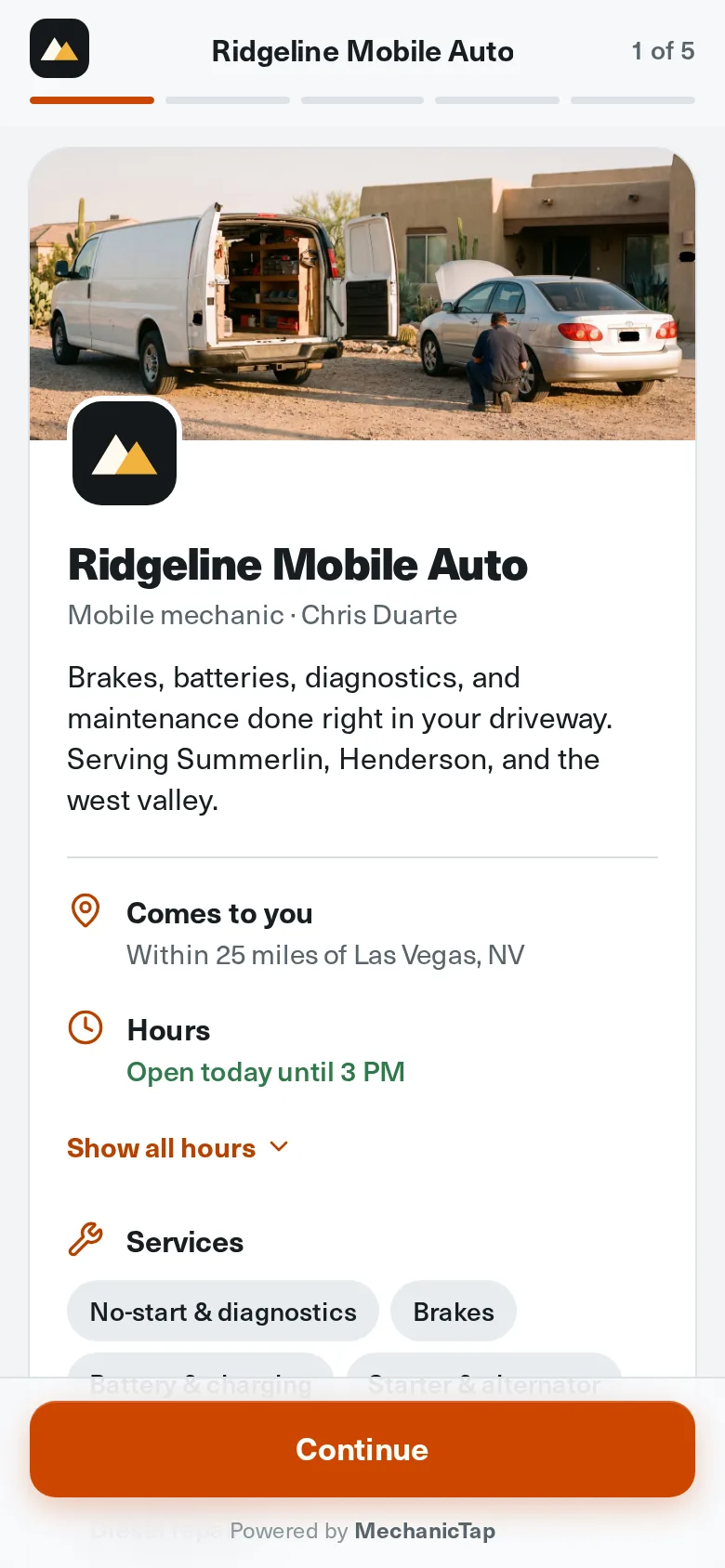
A mechanic's public booking page with cover photo, logo, hours, and services
Requests inbox

Every request lands in one place.

No more piecing a job together from three text threads. Each request arrives with the vehicle, the symptoms, the photos, and the address, and nothing is booked until you say yes.

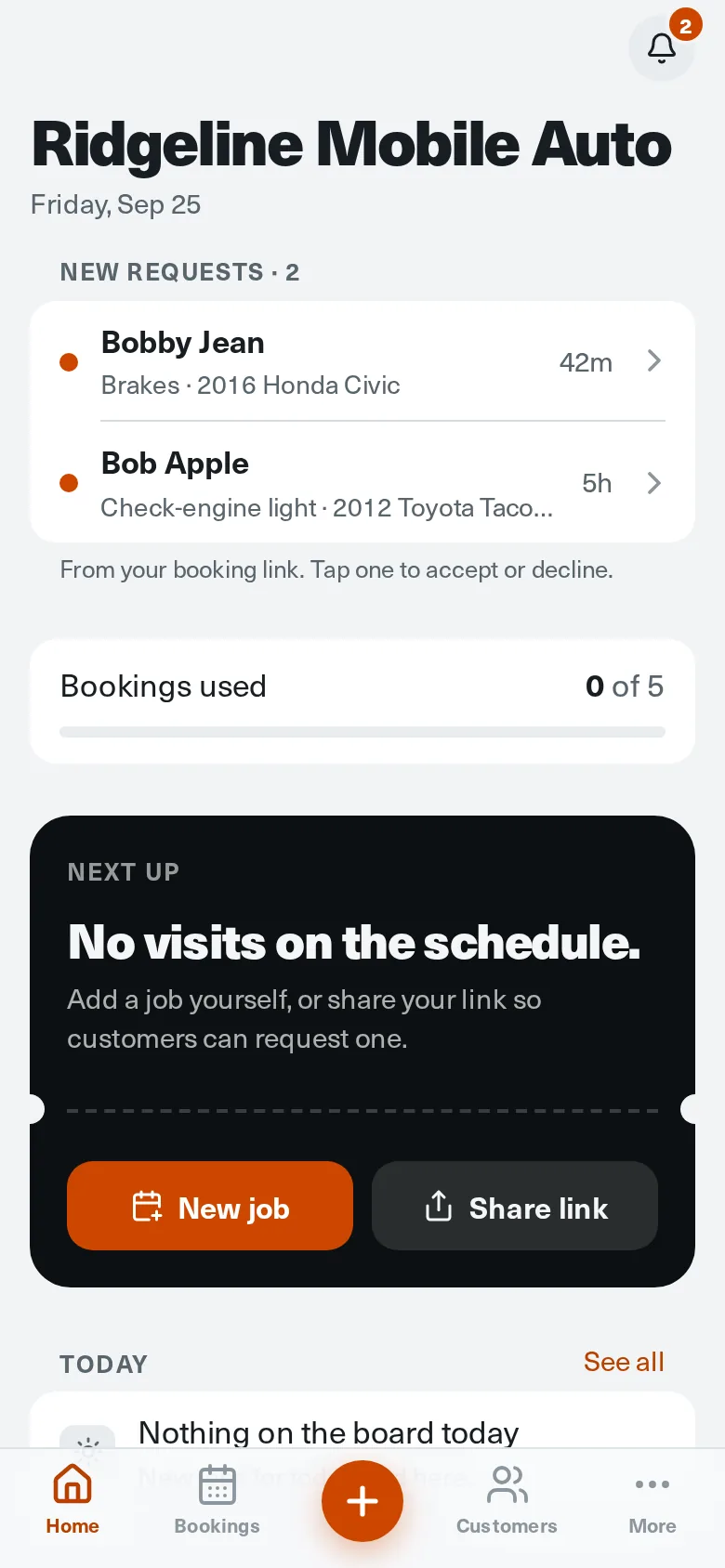
  • New requests at the top of your home screen, with a badge on the bell
  • Call or text the customer straight from the request
  • Accept to build a quote, or decline in one tap
  • Accepted customers are added to your list, matched by phone number

Free and ProFree covers up to 5 bookings.

Mechanic home screen showing two new requests and a notification badge
Quotes and payments

Price the job before you drive over.

Tap the labor hours, add parts, and the total builds itself from your saved rate and service fee. The customer approves on their phone and pays the deposit, so the slot is theirs and your time is covered.

  • Your labor rate and mobile service fee fill in automatically
  • Add parts, or mark that the customer already has their own
  • Collect a deposit by card through Stripe when they approve
  • Find more work under the hood? Text the price and they approve or decline on their phone
  • After the job, they pay the rest by scanning a QR code or tapping a link you text them
  • Follow-up texts go out if a quote sits unanswered
  • Start a quote from scratch for a phone call or walk-up

ProStripe's standard processing fee applies. MechanicTap adds nothing on top.

Quote builder with 1.5 labor hours at $120 an hour, a $186 parts line, a $45 service fee, and a $411 live total
Hours and time off

Customers only pick days you actually work.

Set your week once. Your booking page shows real upcoming dates inside those hours, skips the days you're off, and respects how much notice you need. You still confirm the exact time.

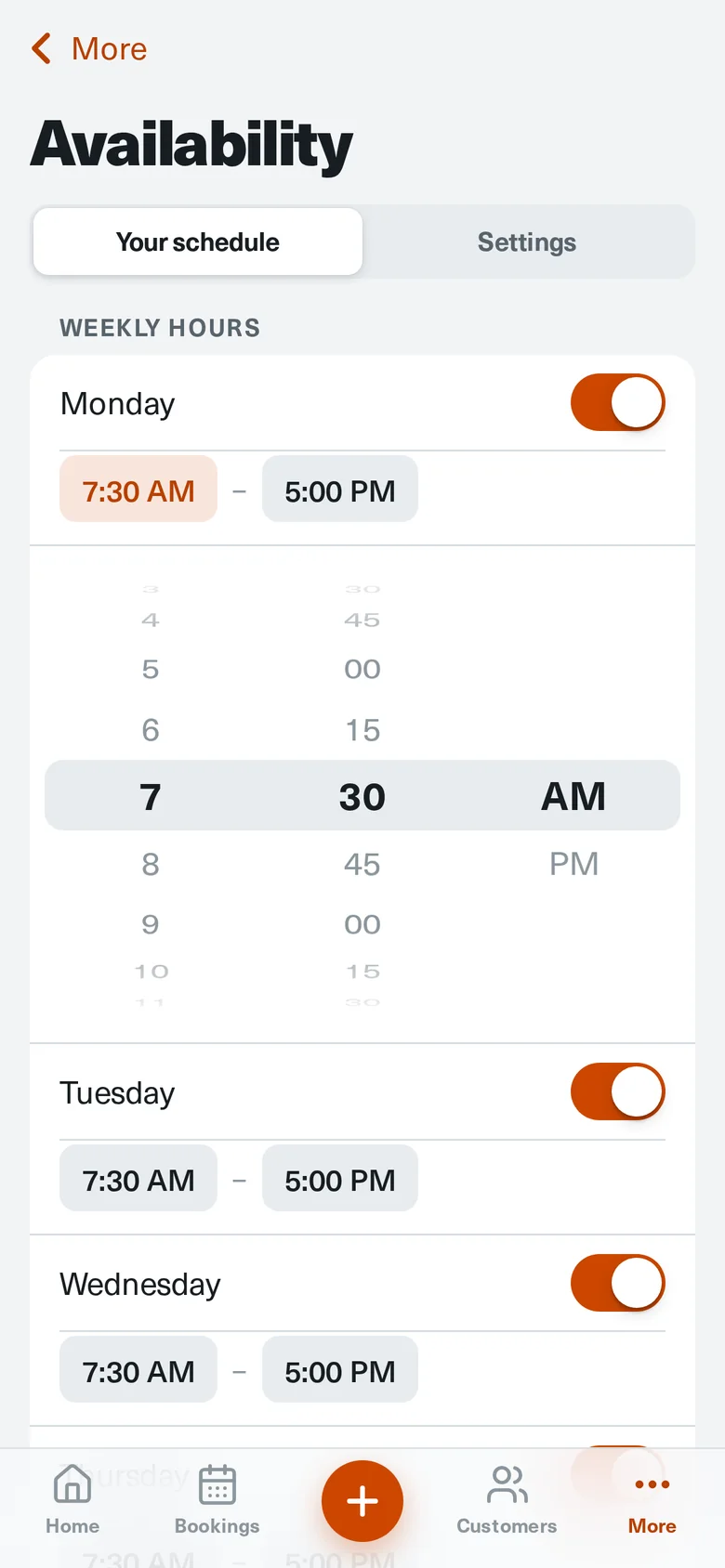
  • Weekly hours on a scroll wheel, day by day
  • Time off blocks those dates on your booking page
  • Minimum notice, from same day up to 2 days ahead
  • Pause new requests when you're booked solid

Free and ProChanges show on your booking page right away.

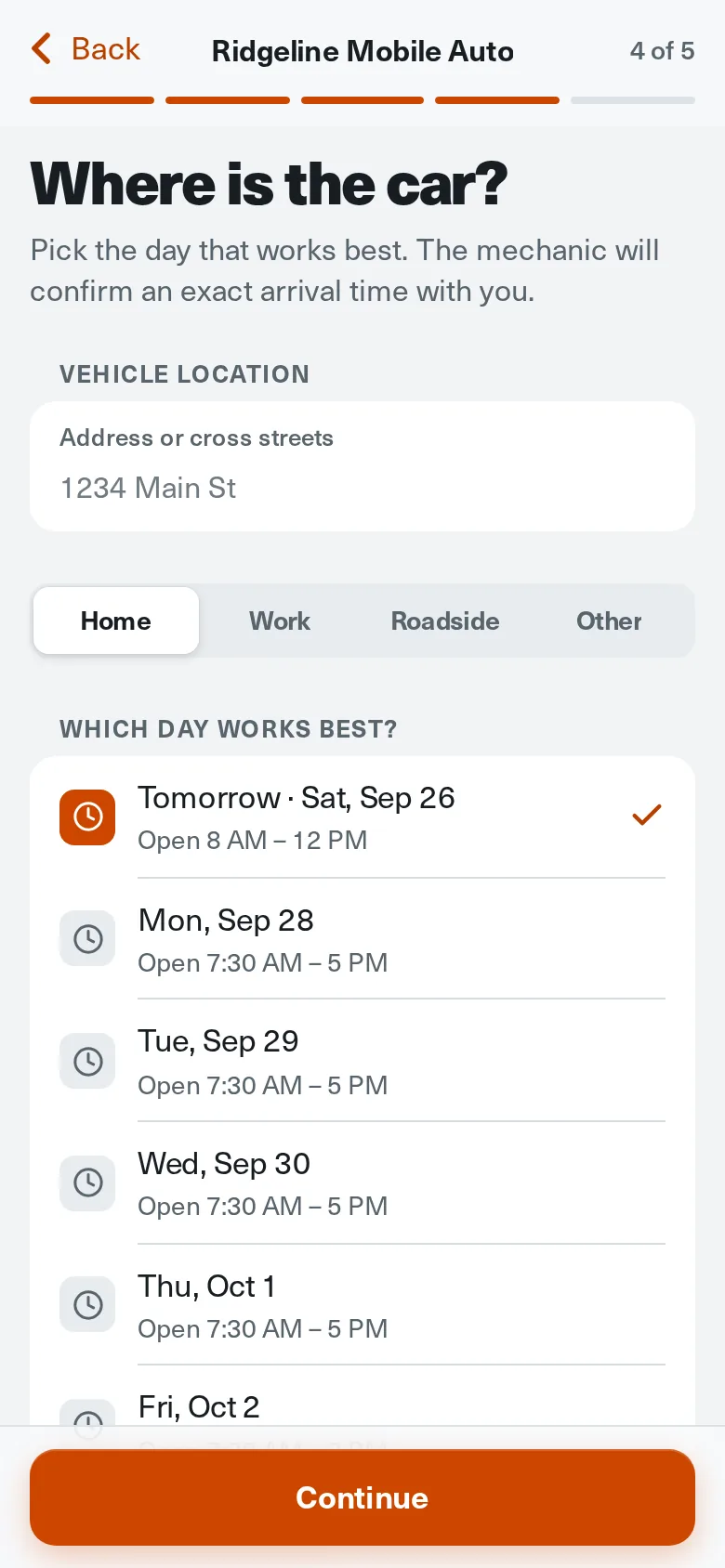
Customer picking a preferred day from real dates with open hours
On my way

They know which van is pulling up.

One tap texts the customer that you're headed over, with a link to a live ETA that counts down to your arrival. Your van's color, model, and plate go with it, so nobody wonders who's in their driveway.

  • On my way text with your ETA, sent from MechanicTap's number
  • A live ETA page with the time you'll arrive
  • The ETA updates from your GPS while MechanicTap is open
  • Your service vehicle's color, year, model, and plate
  • Mark the job done when you wrap up

ProSet your vehicle once in Account.

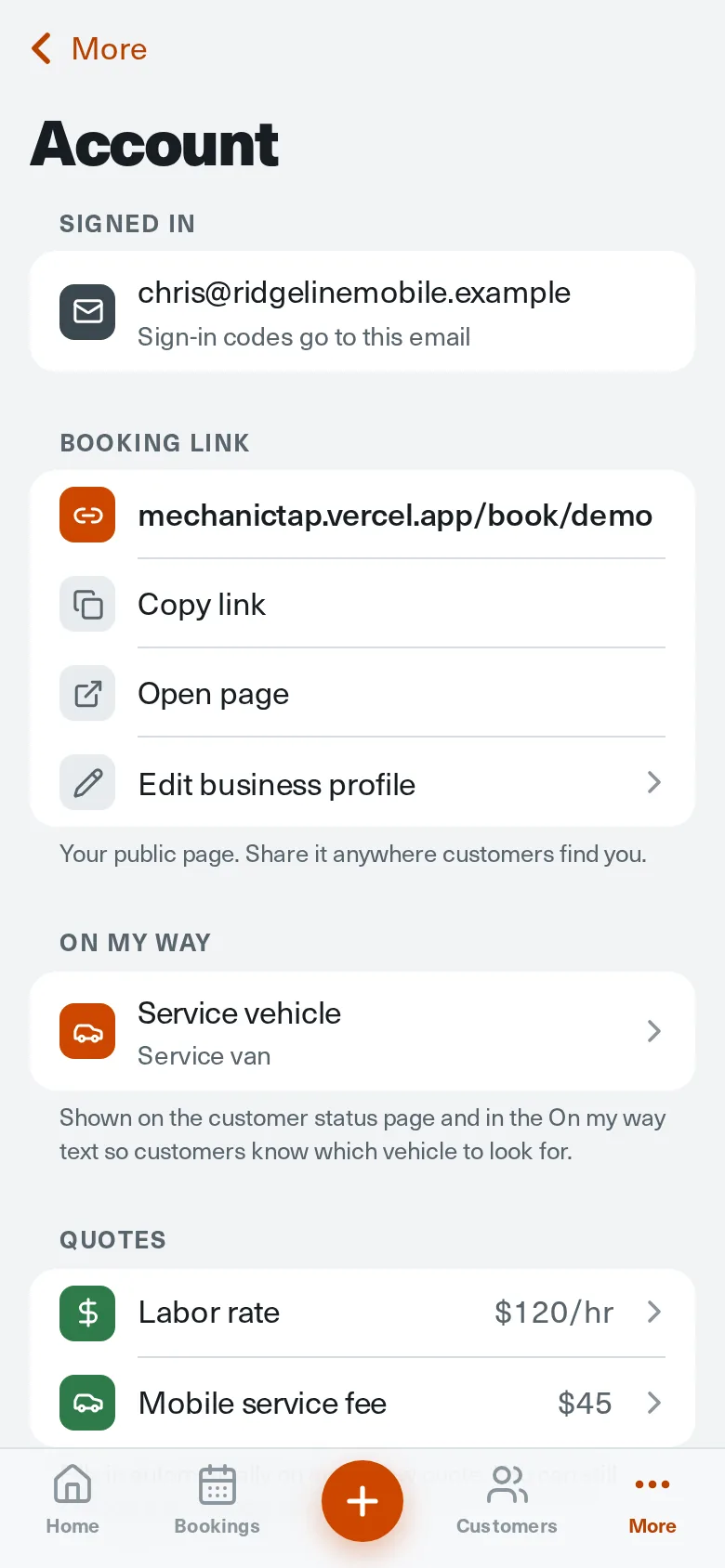
Account settings showing the booking link, service vehicle, labor rate, and mobile service fee
Expenses and mileage

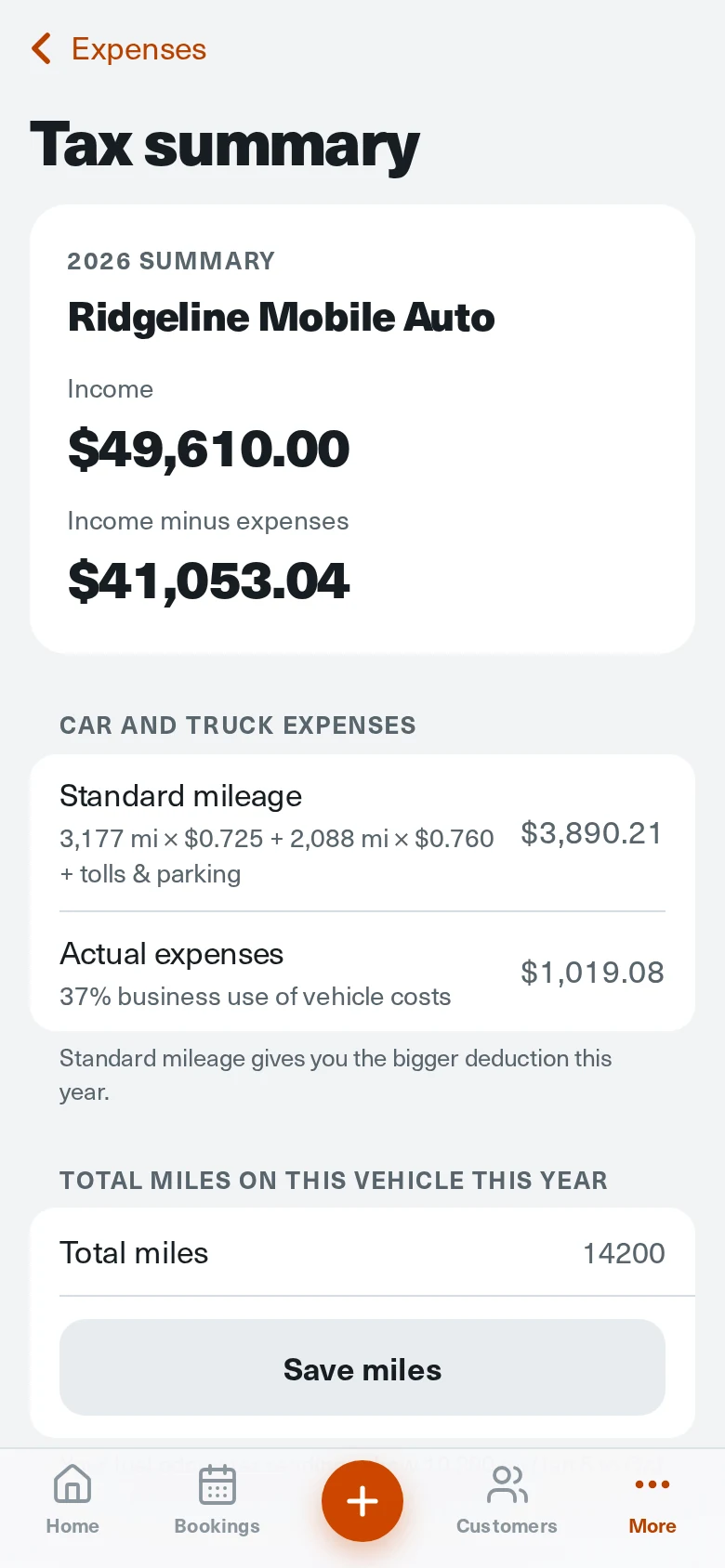
Tax time without the shoebox of receipts.

Log gas, business miles, meals, parts, tools, and monthly bills from your phone, with a photo of each receipt. Every month rolls into the year, and the tax summary sorts it into the lines your tax pro asks for.

  • Fuel receipts with gallons, price per gallon, and odometer
  • Business miles at the IRS standard rate, including the July 2026 increase
  • Meals at 50%, with who you met and why
  • Standard mileage and actual vehicle costs side by side
  • Export the year: a spreadsheet, a PDF summary, and every receipt photo

ProA record of your expenses, not tax advice. Your tax pro makes the final call.

Expenses screen with an October total of $410.79 split into vehicle, meals, purchases, and bills, and an Add expense button

The small things that add up.

Included on every plan, so the business side takes less of your day.

  • Customer list

    Names, numbers, vehicles, and last visit. Duplicates merge by phone number.

  • Reviews to Google

    After the job, every customer gets a one-tap path to your Google profile, and reviews show on your booking page. On Pro, the ask goes out by text automatically.

  • Link visits

    See how many people opened your link in the last day, week, or month.

  • VIN lookup

    Customers paste a VIN and the year, make, and model fill themselves in.

  • Call and text from any job

    Every request and booking has the customer's number one tap away.

  • Light and dark mode

    Follows your phone. Readable in full sun and easy on the eyes at 6 a.m.

  • Add to your home screen

    Opens like an app from your phone. Nothing to download from a store.

  • No password to forget

    Sign in with a one-time code sent to your email.

Feature questions.

What customers see, what's on each plan, and how deposits work.

No. Your booking page opens in any phone browser. Customers don't create an account or download an app.

No. A request is a request. You review it, then accept or decline, and you confirm the exact arrival time with the customer.

Pro adds unlimited bookings, quotes, card deposits, automatic Google review requests, texts to customers (request received, booking confirmed, On my way with a live ETA), pay links by text or QR code, quote follow-ups, extra-work approvals, and expense and mileage tracking. Free includes the booking page, requests inbox, a text alert for each new request, marking jobs paid by cash or apps like Zelle, hours, time off, and the customer list.

You connect your own Stripe account. When a customer approves a quote, the deposit is charged to their card and paid out by Stripe to you. MechanicTap doesn't add a fee on top of Stripe's.

Yes, on Pro. Tap Get paid when you wrap up. The customer scans a QR code on your phone or taps a link you text them, then pays by card, Apple Pay, or Google Pay through your Stripe account. If they pay with cash or an app like Zelle, mark it paid instead.

Switch the quote to “Customer has parts.” The parts lines are left off, and the customer sees that the quote uses their own parts.

Yes. Add time off in Availability and those dates disappear from your booking page. You can also pause new requests entirely.

Try it on your next job.

Start Free, set up your booking page in a few minutes, and send the link to your next customer.

Start Free

Already set up? Log in